
When you assess improvement potential on the shopfloor, the same question comes up again and again: which of the eight types of waste is actually holding your process back, and which digital measure addresses exactly that? Without this mapping, every discussion about new software stays vague, and teams fight individual symptoms instead of looking at the value stream as a whole. This article maps the 7+1 types of waste to the software categories that address them and shows how to recognise a solution that fits your use case.
Key takeaways
The 7+1 types of waste (TIMWOOD plus unused employee potential) rarely appear alone. They usually occur together and reinforce each other.
Software works on three levels: transparency over inventory and process states, context-aware process guidance, and a feedback loop back to shift leads or leading systems.
ERP, MES, track and trace and APE address different types of waste and complement each other in an integrated architecture.
You recognise suitable software by usability at the point of work, versioning, approvals and integration, not by the size of its feature list.
A credible business case comes from a measured baseline and a limited pilot process, not from generic savings percentages.
What are the 7+1 types of waste?
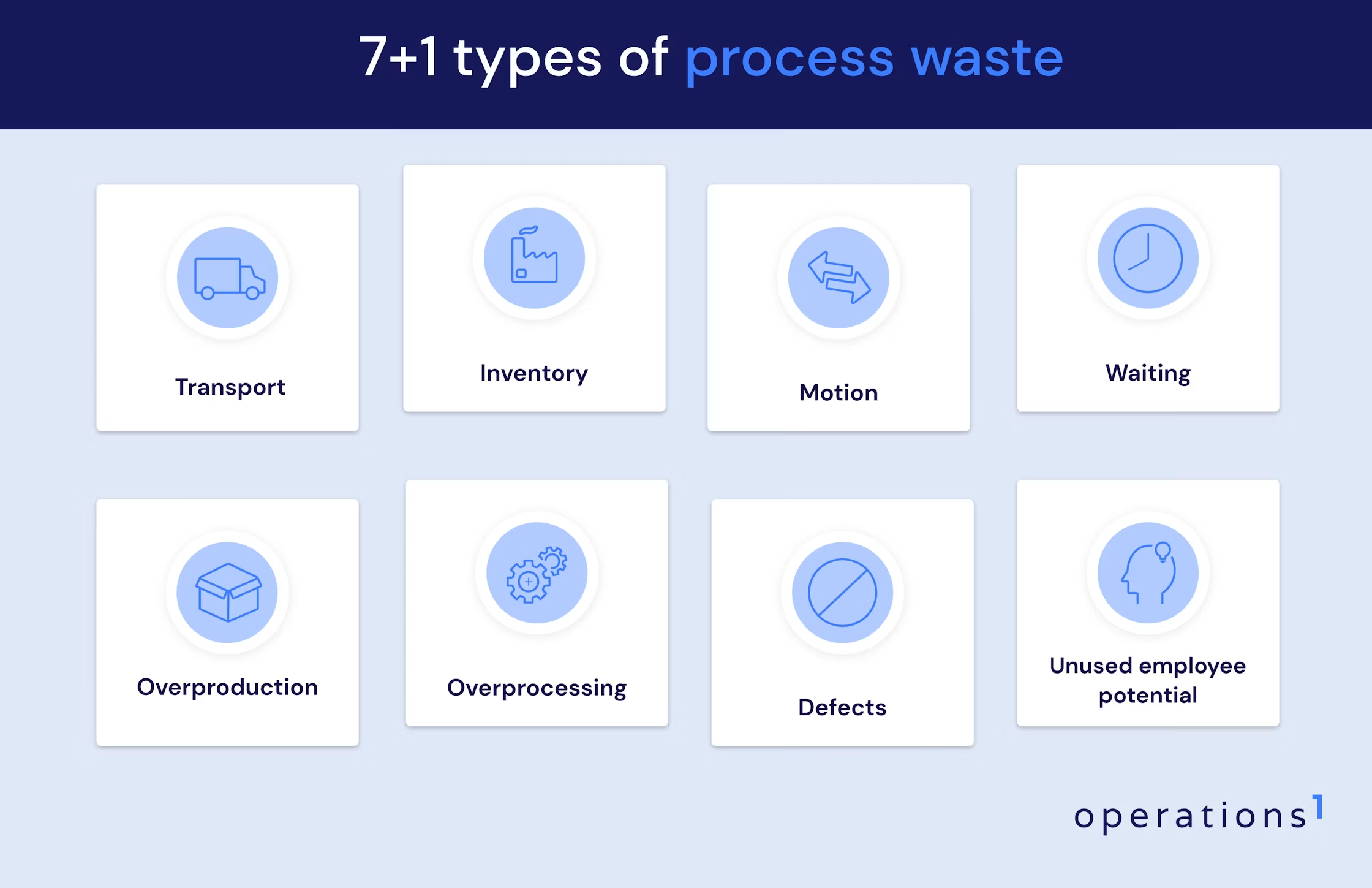
In lean management, muda refers to any activity that consumes resources without creating value from the customer's point of view. The 7+1 types of waste are transport, inventory, motion, waiting, overproduction, overprocessing, defects and unused employee potential.
The classification helps manufacturing leaders name losses precisely. Instead of talking about efficiency in general terms, you can examine whether material moves more than it needs to, whether people wait for information, or whether faulty parts drive rework.
In practice, several types of waste occur at the same time. Overproduction increases inventory and transport. Missing information causes waiting, unnecessary motion and defects. That is why improvement should not stop at individual symptoms but look at the entire value stream.
Transport: long and inefficient material routes
Transport waste occurs when material, tools or products move more often or further than the value-adding process requires. Every additional move increases lead time, effort and the risk of damage.
Typical examples are detours between the warehouse and the line, unnecessary putaway and relocation, and misrouted load carriers. The causes usually lie in an unsuitable plant layout, missing location data, large batch sizes or unclear material supply. Transport refers to the movement of material. The movement of people belongs to the waste category of motion.
Inventory: excess stock and material
Excess inventory ties up capital and floor space, extends lead time and hides process problems. This includes raw materials, consumables, work in progress and finished goods.
High stock levels often act as a buffer against unstable processes, fluctuating delivery times or unreliable machines. They do not remove those causes. On top of that come the effort for counting, storage, inspection and internal transport. With sensitive materials, expiry, corrosion and obsolescence risks are added. The goal is not the lowest possible stock level, but a level that secures delivery capability and process stability with as little tied-up capital as possible.
Motion: unnecessary walking and searching
Motion waste covers unnecessary physical movement by employees, such as walking distances, searching, awkward reaching or repeatedly circling a machine. These activities consume time without changing the product.
Common causes are poorly designed workstations, missing tools, paper-based information storage and inconsistent material locations. The 5S Method, ergonomic workstation design and information provided directly at the point of work all work together here.
Waiting: downtime and production interruptions
Waiting occurs when people, machines or material cannot continue because a prerequisite is missing. This includes machine breakdowns, long setup processes, missing approvals and delayed feedback.
Employees waiting for a quality decision, or maintenance technicians who first have to look for the right error pattern, also generate waiting time. For equipment, these losses can be assessed through OEE, downtime duration and MTTR. The most common mistake here: only visible machine downtime gets measured. Waiting for information and decisions stays hidden, even though it blocks material flow just as effectively.
Overproduction: producing too early or too much
Overproduction means producing more, earlier or faster than the downstream process or the customer requires. It is considered particularly costly because it creates inventory, transport, space requirements and additional inspection effort.
The causes are imprecise planning, large batch sizes, long setup times or precautionary extra production based on expected quality losses. Pull control, kanban and smaller batches only work reliably when processes, delivery times and master data are stable.
Overprocessing: more work than required
Overprocessing occurs when a process contains more work, precision or complexity than the customer, the product or a regulation demands. Examples are duplicate data entry, unnecessary approval loops and overloaded work instructions.
Quality inspections without a risk-based justification and product features without functional benefit belong in the same category. FMEA and inspection planning help align controls with actual risks. Digitalisation only reduces overprocessing when it removes redundant steps rather than adding new input screens.
Defects: scrap and rework
Defects are products or process results that fail to meet requirements. They cause scrap, rework, additional inspections, customer complaints and unplanned production interruptions.
The visible deviation is not automatically its cause. For root cause analysis, 5 Why, Ishikawa, 8D and process FMEA are all suitable. Poka yoke prevents known errors directly in the workflow, while digital inspection data helps you analyse error patterns by product, variant, machine or shift.
Unused employee potential: the eighth type of waste
Unused employee potential arises when a company fails to use the knowledge, experience, qualification and improvement ideas of its workforce. This includes missing involvement in continuous improvement, poor task allocation and insufficient knowledge transfer.
This type of waste goes beyond TIMWOOD and covers more than unused improvement suggestions. Missing qualification overviews, undocumented experience and communication that does not pick up feedback from the shopfloor all waste potential. Think of your own line: employees often spot deviations earlier than any central analysis does. Without a simple feedback channel, that knowledge stays local or disappears at shift handover.
Why does paper-based work create waste on the shopfloor?
Paper-based workflows create waste when information is hard to find, outdated, open to interpretation or not directly analysable. Inspections, assembly, maintenance, goods receipt and shift handovers are affected most.
Typical sources of waste are:
Search effort: Employees look for instructions, forms, drawings or the current revision.
Interpretation effort: Text-heavy documents fail to explain complex work steps unambiguously.
Error-prone transfer: Handwritten values get typed into Excel, QMS, ERP or MES later.
Media breaks: Paper, email, spreadsheets and local drives hold different versions of the truth.
Delayed escalation: Deviations reach shift leads, quality or maintenance only after the job is finished.
Limited analysis: Handwritten data cannot be analysed by error type, machine or variant without extra effort.
Weak version control: Outdated work instructions stay at the workstation even though a new revision already applies.
Employees without a fixed office workstation need information right at the machine, line or inspection station. If they have to walk to an office terminal or find a supervisor, motion and waiting are the result. If they have to guess at missing information, the risk of error rises as well.
How does software reduce the 7+1 types of waste in practice?
Software reduces muda by making material and process states visible, providing current information at the point of work and routing deviations into controlled follow-up processes. The effect comes from the interplay of process improvement, reliable data and consistent use on the shopfloor.
Do not equate digitalisation with improvement. An inefficient process stays inefficient if you simply map it digitally. The sequence matters: identify waste, analyse causes, simplify the process, then secure the improved workflow digitally.
Software then works on three levels:
Transparency: Real-time data shows inventory, downtime, errors, search time and process deviations.
Process guidance: Digital work instructions, inspection plans and checklists guide employees through their tasks in context.
Feedback loop: Feedback from the shopfloor flows straight back to shift leads, quality, maintenance, ERP or MES.
Not every type of software addresses every type of waste equally well. The following levers show which function targets which loss.
Track and trace against unnecessary transport
Track and trace reduces transport when material, containers and orders are clearly identified and systems capture their locations and status information in real time. Search trips, misrouted moves and unnecessary relocation all go down.
Depending on the process, barcode, QR code, RFID or real-time location are used. The right technology depends on range, accuracy, environmental conditions and economic benefit. Manual barcode capture is enough for defined handover points. Automatic location tracking makes sense when load carriers move frequently and their position is time-critical.
Transparency alone does not shorten a single route. Analyse the data together with value stream mapping and a spaghetti diagram. Only then do concrete changes to tugger trains, supermarkets, handover points or plant layout follow.
Mobile devices against walking and searching
Tablets, smartphones and stationary terminals provide work instructions, inspection plans and orders directly at the point of work. Employees no longer need to fetch paper folders, walk to office workstations or track down a supervisor for the next piece of information.
QR codes or automatic order assignment open the right instruction for the product, variant, workstation and revision. Offline capability is decisive wherever Wi-Fi does not reliably cover all production areas.
Digital delivery does not replace workplace organisation. Tools and material still need to be arranged according to 5S. In practice, the combination of a physically optimised workstation and digitally provided information works best.
Digital collaboration against waiting and downtime
Digital collaboration cuts waiting time when employees capture disruptions directly, enrich them with the error pattern and context, and assign them to a responsible role. Shift leads, quality or maintenance immediately receive an actionable task.
Photos, videos, measured values and equipment data reduce follow-up questions. Timestamps document the report, acceptance, response and completion. This data shows which share of MTTR goes to diagnosis, spare part procurement, approval or the actual repair.
Watch out for one thing: a digital report without clear response rules just creates a new queue. Define escalation levels, responsibilities, priorities and target times. A digital andon only takes effect when a named role responds to the signal.
ERP and MES integration against overproduction
A solid ERP and MES integration prevents overproduction by synchronising demand, orders, material availability and actual production progress. Feedback on quantities, scrap and downtime improves subsequent planning.
The ERP covers order, material and schedule planning. The MES controls and monitors operational execution. The digital shopfloor reports real process data back instead of capturing quantities manually at the end of the shift.
Correct master data, bills of material, routings and confirmations are decisive. Automated planning on a faulty data basis only produces wrong decisions faster. In stable operations, pull principle, kanban and consumption signals complement system-based planning.
Variant-specific work instructions against overprocessing
Variant-specific Digital Work Instructions Software shows only the steps, inspection characteristics and aids required for the current order. This removes the need to search through long documents, eliminates duplicate maintenance and cuts unnecessary processing steps.
Rules link content to material number, configuration, workstation, role or quality status. Information from ERP, PLM or MES can be pulled in and assembled into an executable instruction. Central content management prevents identical work steps from being maintained separately across many documents.
With modular documents, the update effort can drop by up to 100 percent in a narrowly defined best case, when one change automatically flows into every document that uses the module in question. This figure is a technical upper limit, not a general planning value. For a credible business case, account for the remaining effort for rule maintenance, approval, translation and change management.
Digital checklists against defects and scrap
Digital checklists reduce defects when they explain critical work steps clearly, validate entries and respond immediately to deviations. Images, videos, tolerance fields and poka yoke logic support employees regardless of routine and language skills.
Mandatory fields prevent skipped inspection steps. Limit checks flag out-of-tolerance values instantly. Barcode scans secure the assignment of material and order. When a deviation occurs, the software starts a blocking, rework or escalation process instead of merely documenting the error.
Digital checklists replace neither process capability nor qualification. They work best when inspection characteristics are derived from FMEA and the control plan, presented clearly and reviewed regularly. The resulting records support requirements from ISO 9001 or IATF 16949, provided approvals, roles and data integrity are implemented accordingly.
Digital inspection checklists against tied-up stock
Digital inspection checklists speed up incoming and outgoing goods inspections by documenting inspection status, deviations and approvals immediately. Material spends less time in unresolved inspection or blocked stock.
Integration with ERP or a warehouse management system transfers release, blocking and stock status without manual double entry. Serial numbers, batches and expiry dates can be assigned unambiguously. FIFO or FEFO rules support correct consumption.
A checklist does not optimise stock levels, though. For that, look at planning parameters, safety stock, delivery times, batch sizes and consumption variability together. The digital inspection process delivers more reliable data and shortens status waiting time, but the inventory decision remains a task for planning and logistics.
Digital setup instructions against long setup times
Digital setup instructions shorten setup processes by specifying sequence, settings, tools and inspection steps unambiguously. Variant-dependent content reduces queries and prevents incorrect settings.
The software should support the SMED method, not replace it. First separate internal activities performed while the machine is stopped from activities that can be prepared externally. Have tools, material and programs ready before the stop. Only then should the digital instruction reflect the improved standard.
Photos, videos, target values and confirmation steps narrow the gap between experienced and newly trained employees. Feedback data then shows which setup steps vary most or take too long. The result is a working loop of standardisation, measurement and continuous improvement.
Digital tools for unused employee potential
Digital tools activate employee potential when people document knowledge, report improvements and receive tasks that match their qualification. The shopfloor becomes an active source of information rather than just a recipient of central instructions.
A structured continuous improvement process links ideas to owners, status and feedback. Digital skill matrices show which employees are qualified for which machines, inspections or variants. Experience can be captured as a photo, video or annotated work step and, after technical review, transferred into standards.
Software must not appear as an instrument of individual performance control. Transparent purposes, clear access rights and the involvement of managers, employees and worker representatives create acceptance. What matters is visible handling of feedback. If a company never acts on ideas, it is only digitalising frustration.
Which software fits which type of waste?
ERP, MES, track and trace and adaptive process execution solve different problems. ERP plans resources and orders, MES controls production, track and trace follows material, and APE executes employee-led processes.
These categories are not interchangeable alternatives. In an integrated architecture, the ERP supplies the order, the MES the production context, track and trace the material status, and APE the concrete process guidance for employees. Feedback then flows back to the respective leading systems.
Recommendation: Start with the category that addresses your bottleneck directly. For planning errors and high stock levels, ERP or MES comes first. For unknown material locations, track and trace is the better choice. For paper-based inspection, assembly or maintenance processes, APE offers the biggest direct lever.
What is adaptive process execution?
Adaptive process execution, or APE, refers to software for the context-dependent execution of employee-led processes on the shopfloor. It combines digital work instructions, checklists, data capture, task management and collaboration into one executable workflow.
APE is not a standardised software term. What counts for a selection decision is not the label but the actual functional scope. The central question is whether the solution guides employees end to end through assembly, inspection, maintenance, logistics or shift handover.
Adaptive means the workflow reacts to the process context. Product variant, measured value, error status, qualification or a previous entry determines the next step. When a deviation occurs, the software adds an extra inspection, blocks the job or assigns a task to quality assurance.
Compared with a digitised paper list, you recognise a capable APE solution by these characteristics:
Context-dependent steps instead of static document pages
Validation of entries and limit values
Role-based tasks and escalations
Integration of images, videos, drawings and 3D content
Version management and governed approvals
Interfaces to ERP, MES, PLM, QMS or maintenance systems
Structured process data for analysis and continuous improvement
The main benefit lies in the last mile between central systems and operational execution. APE does not replace ERP or MES. It complements those systems where people make decisions, inspect, assemble, maintain or respond to disruptions.
Operations1 as an example of the execution layer
When work instructions, inspection checklists and fault reports live on paper or in separate spreadsheets, several types of waste usually act at once: employees search for the current revision, transfer values twice, and deviations reach shift leads or maintenance only with a delay.
As a connected worker platform, Operations1 maps exactly these employee-led processes digitally. Documents with interactions such as numeric entry with limit checks, photo capture or signature guide employees step by step through assembly, inspection or maintenance, offline and directly at the workstation.
The order connector pulls orders automatically from ERP or MES systems, so quantities and order data no longer need to be transferred manually.
Employees create critical deviations directly from the report as a task with clear ownership and status tracking, so reports no longer get lost on paper or in email threads.
Use a concrete pilot process to check whether this approach fits your operation, and measure the effect with metrics such as search or processing time.
How do you recognise suitable software for waste reduction?
Suitable software solves a measurable process bottleneck, is intuitive to operate on the shopfloor and integrates into your existing system landscape. Functional scope alone is not a quality criterion.
Assess solutions against these criteria:
Fit with the use case: The software supports the concrete workflows in assembly, inspection, maintenance or logistics without elaborate workarounds.
Usability at the point of work: Large controls, clear navigation, glove operation and few entries suit the working environment.
Context-aware process guidance: Variant, order, role and process status automatically determine the right content.
Straightforward content maintenance: Departments create and change instructions in a controlled way, without starting an IT project for every adjustment.
Approval rules: Versioning, review, release and archiving are governed transparently.
Integration: Standardised APIs and connectors exchange order, master, quality and feedback data with ERP, MES, PLM or QMS.
Offline capability: Critical processes continue during unstable connectivity and synchronise data in a controlled way.
Roles and permissions: Employees only see the functions and data their tasks require.
Information security: Identity management, encryption, logging, backup and update processes meet your company requirements.
Analysability: Process data can be analysed and exported by order, machine, error type, variant or site.
Scalability: Content, languages, plants and devices can be managed without building parallel isolated solutions.
Total cost of ownership: Licences, rollout, interfaces, devices, support, training and internal maintenance all feed into the assessment.
Test the solution in a real process with representative variants and user groups. A demo alone will not show you how quickly people navigate an order, how special cases are handled or how much effort a change actually takes.
What ROI is realistic with shopfloor software?
A realistic ROI depends on the starting point, process volume, cost of poor quality and actual usage. Generic savings percentages are not a basis for an investment decision. The business case becomes credible through your own baseline data and a measured pilot.
Before the pilot, capture a stable baseline over a sufficiently long, representative period. Seasonal effects, product mix and planned downtime need to remain visible. Then compare not only average values but also spread and outliers.
Suitable benefit metrics are:
Training time: Time until independent execution at the required quality
Search and walking effort: Minutes spent on documents, tools, material or contacts
Lead time: Time from process start to complete confirmation
Setup time: Duration from the last good part of the old order to the first good part of the new one
Downtime and MTTR: Duration and structure of unplanned interruptions
First pass yield: Share of units that pass the process without rework
Scrap and rework: Material, labour and machine costs of faulty results
Creation and maintenance effort: Time for work instructions, checklists, translations and revisions
Stock waiting time: Duration in inspection, blocked and clarification stock
Administrative effort: Time for transfer, filing, analysis and audit preparation
Financial benefit comes from avoided cost of poor quality, saved processing time, higher usable capacity and reduced administrative effort. Capacity gains only count as monetary benefit if you actually use the freed-up time productively or genuinely avoid costs.
For the assessment:
Besides licences, include devices, interfaces, process analysis, content creation, training, support and internal operation. Only count avoided scrap or downtime costs where pilot data proves the link to the solution.
A conservative scenario with transparent assumptions convinces more in the end than an optimistic projection. Calculate benefit per process, line and year, and scale only after a successful pilot. That keeps the ROI traceable and defensible in front of production, IT, controlling and worker representatives.
How do you roll out digital solutions without a large IT project?
A lean rollout starts with a clearly defined process, few necessary interfaces and measurable targets. Configurable cloud or on-premises solutions reduce development effort, but they do not replace process clarification, information security and change management.
The promise of an instantly usable solution is only realistic for isolated standard applications. As soon as a solution needs orders, master data, user accounts or quality information from existing systems, technical and organisational coordination is required. With a clear architecture and a limited pilot scope, that stays manageable. The following eight steps have proven their worth as a sequence.
1. Define the waste and the baseline
Start with a concrete loss, not with a software feature. Measure search time, rework, setup time or the duration of fault escalations. Use gemba walks, value stream mapping, spaghetti diagrams and existing quality or OEE data. Set one metric, one baseline and one responsible process owner.
2. Select the pilot process
The pilot should be relevant, repeatable and organisationally manageable. A process with a recognisable pain point and committed leadership delivers more meaningful results than a prestigious special case. Good candidates are a high-variant assembly, a frequent incoming goods inspection or a maintenance routine that can be standardised. For the first pilot, avoid a process that suffers from unclear master data, unstable equipment and fundamental layout problems all at once.
3. Simplify the process before digitalising it
Remove unnecessary steps, approvals and duplicate entries before technical implementation. Software should secure the improved target process, not preserve existing waste. Check every step for value creation, legal obligation, quality risk and necessary information. Methods such as ECRS (eliminate, combine, rearrange, simplify) help with the redesign.
4. Involve users and roles early
Employees, shift leads, quality and maintenance test the digital workflow together. Their feedback shows whether information is understandable, devices are suitable and special cases are fully covered. Name process owners, content owners, approvers and system administration. Short tests directly at the workstation deliver more insight than long alignment meetings in a conference room.
5. Limit interfaces to what the pilot needs
The pilot needs only the data that is indispensable for the workflow and for measuring success. Full integration of all systems delays the proof of value. Start with order number, material number and result confirmation. Add further master and process data once the benefit is established. Define a leading system for each data object so that no conflicting data sets emerge.
6. Standardise content and approval rules
Consistent templates, naming and approval rules lower maintenance effort and keep content current. Without clear rules, confusing document variants appear digitally just as quickly as on paper. Define who creates work instructions, reviews them technically, approves them and updates them when things change. Reusable modules for safety, tools and standard inspections prevent redundant maintenance. Requirements from ISO 9001, IATF 16949 and ISO 45001 should feed into roles and approvals early.
7. Measure the pilot and examine deviations
Compare pilot data with the baseline and check whether the change actually stems from the new workflow. User acceptance and process quality belong in the assessment alongside time and cost effects. Analyse deviations together with the people involved. If a digital checklist takes longer, the cause often lies in unnecessary entries, unsuitable hardware or additional inspection requirements. Adjust the process before you scale.
8. Scale
Transfer the approach to further lines or plants once process impact, operation and responsibilities are stable. Standardise reusable components without ignoring local process differences. A rollout needs device management, support, training, permission concepts and a governed update process. For regulated or safety-critical processes, validation and documented approvals are added.
Recommendation: Start with a clearly measurable employee-led process and integrate only the data you strictly need. This approach limits IT effort, delivers reliable insight quickly and prevents a local digitalisation project from becoming the next isolated solution.
FAQ
What does TIMWOOD mean in lean management?
TIMWOOD is an acronym for the seven classic types of waste: transport, inventory, motion, waiting, overproduction, overprocessing and defects. It serves as a memory aid for examining non-value-adding activities in manufacturing and logistics in a structured way. The later addition of an eighth type of waste, unused employee potential, is not part of the original acronym. Extended memory aids therefore add terms such as skills or non-utilised talent.
What is the difference between muda, mura and muri?
Muda stands for waste through non-value-adding activities, mura for unevenness and fluctuation in the process, and muri for overburdening people or equipment. The distinction matters in practice: anyone who only removes visible waste without addressing fluctuation and overburden usually just shifts the problem. Smaller stock levels, for example, will not produce a stable material flow as long as deliveries vary widely.
When is paper still good enough on the shopfloor?
Paper is not unsuitable in principle. For a short, stable and rarely changed workflow, a clear document does its job. Problems arise with high variant counts, frequent changes, documentation obligations and time-critical collaboration between production, quality and maintenance.