




In industries such as pharmaceuticals, medtech, or automotive, standards and customer audits require complete traceability of who created, reviewed, and approved work instructions. The multi-level approval process in Operations1 maps these requirements digitally: each approval stage is assigned to a defined role, and every decision is documented with a timestamp. This means you can demonstrate during any audit that a document has gone through the prescribed approval workflow.
Multi-Level Review Process
Multi-level approval.
Audit-proof and fully traceable.
Audit-proof and fully traceable.
Define who approves work instructions, checklists, and inspection records before they reach the shopfloor. Role-based, multi-level, and fully documented.
Trusted by leading manufacturers
Configure Approval Workflows
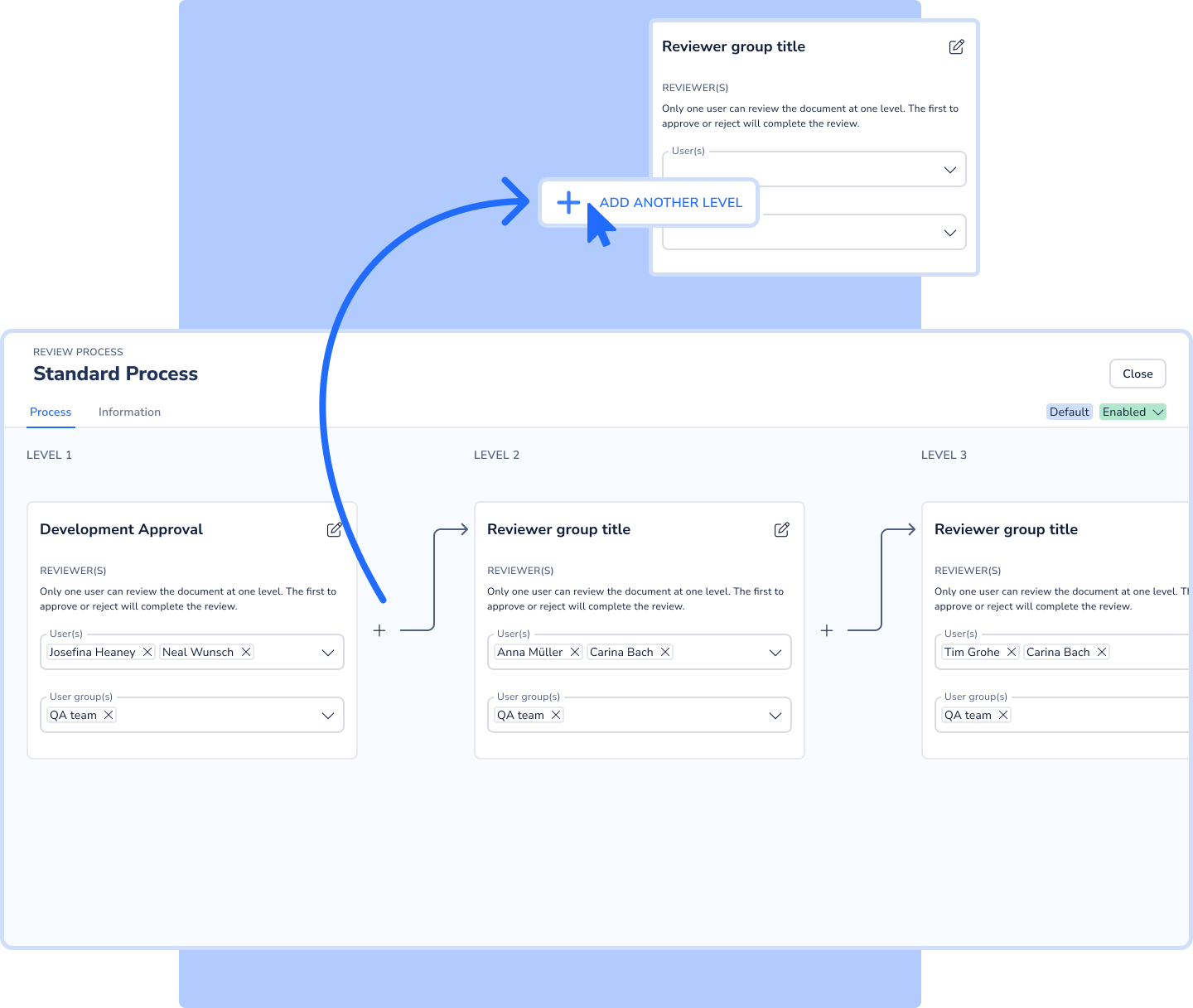
Build a multi-level approval process and assign roles
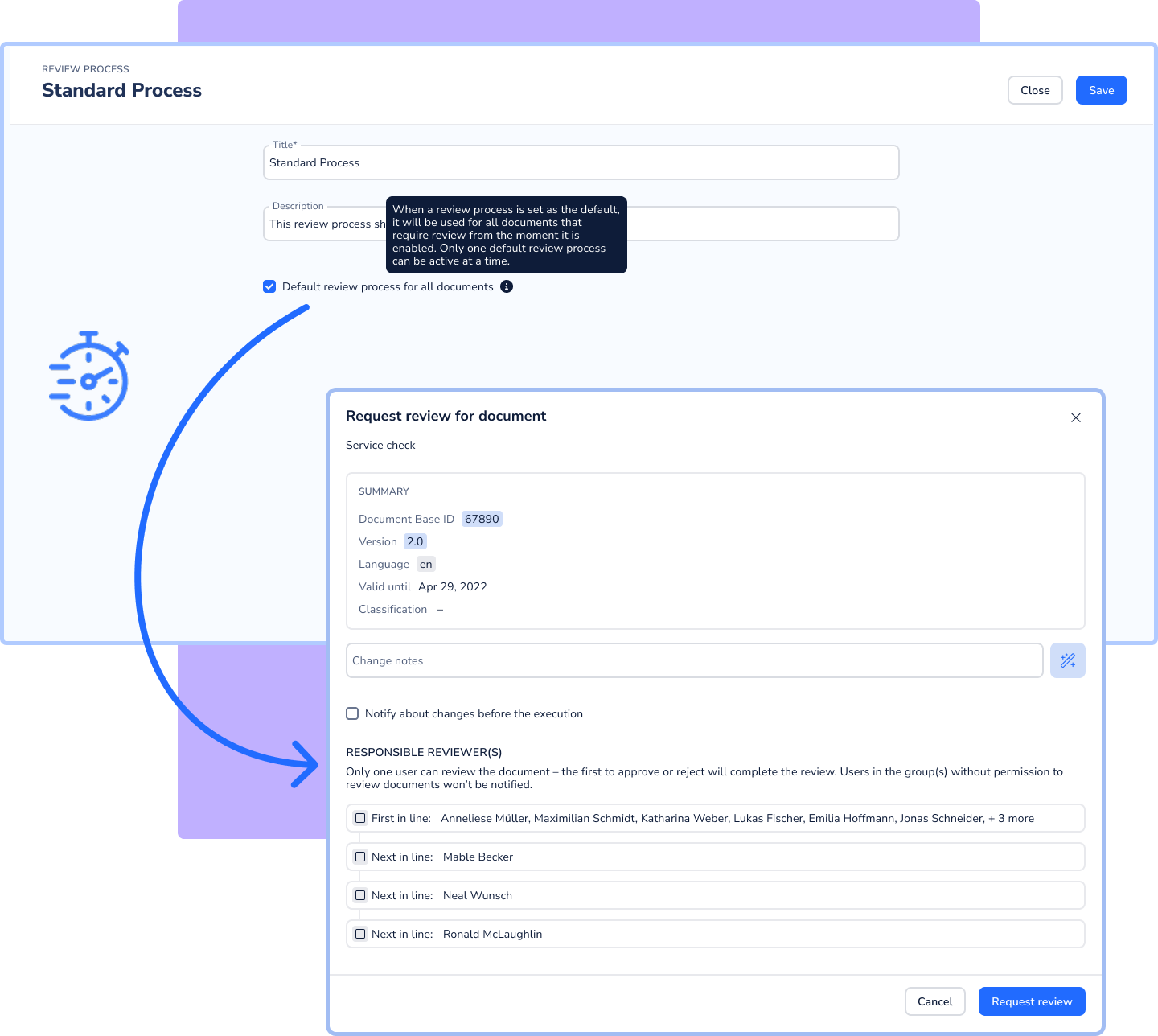
Define approval workflows that fit your organization: each stage is assigned to a role or user group, and reviews can be configured sequentially or in parallel.
Any number of review stages configurable (e.g., department → quality → plant management)
Sequential or parallel reviews supported
New versions are only published once all stages are complete
The current version remains active throughout the ongoing approval process
Review-Status in Realtime
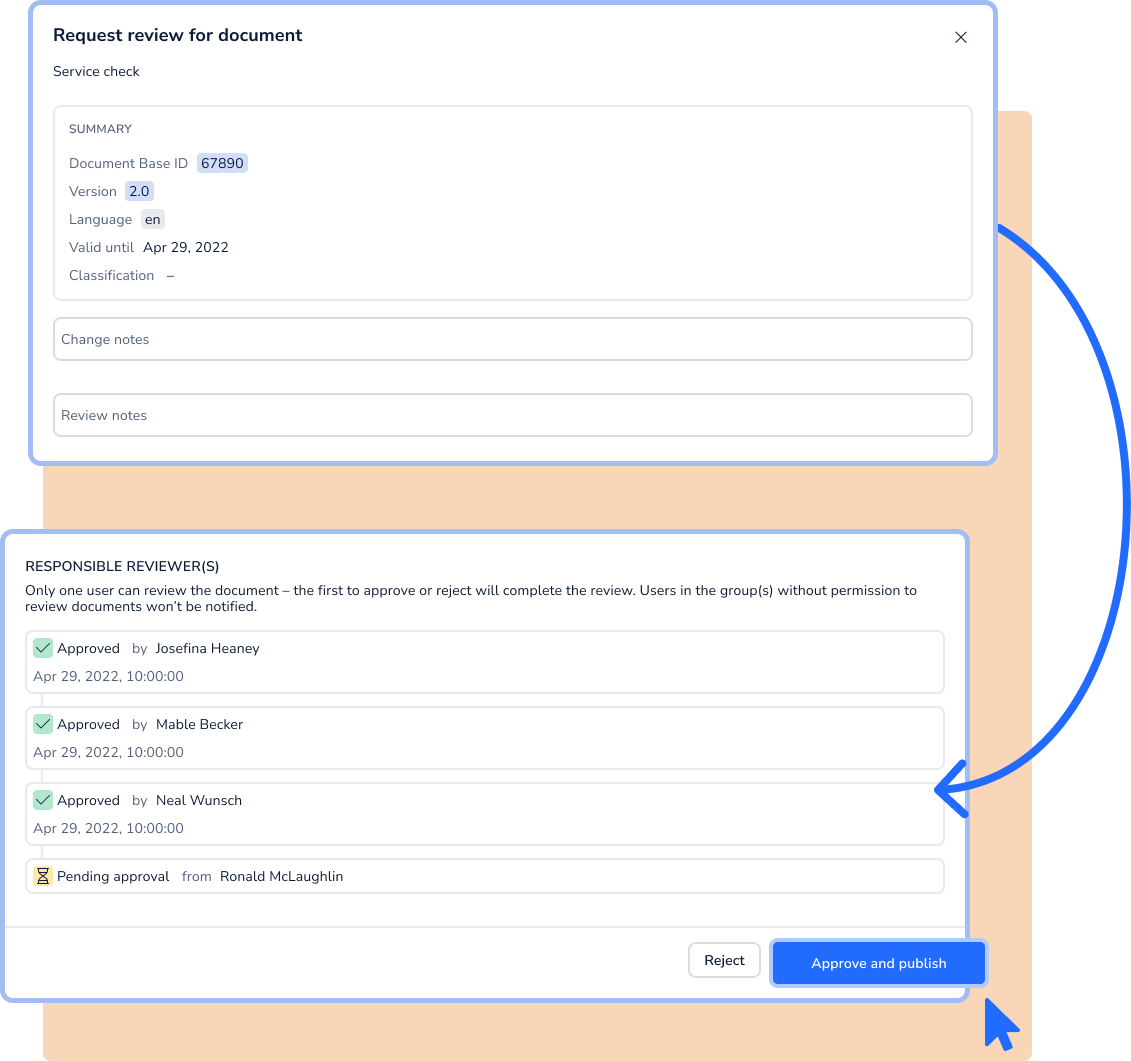
Full visibility into the status of every document approval
All stakeholders can see at any time which approvals have been completed, which are still pending, and where delays are occurring. This reduces coordination effort and prevents standstills caused by unclear responsibilities.
Status overview of all ongoing approval processes at a glance
Queries and delays immediately visible
Greater accountability in the review process through transparency
Versioning
Every document approval fully documented
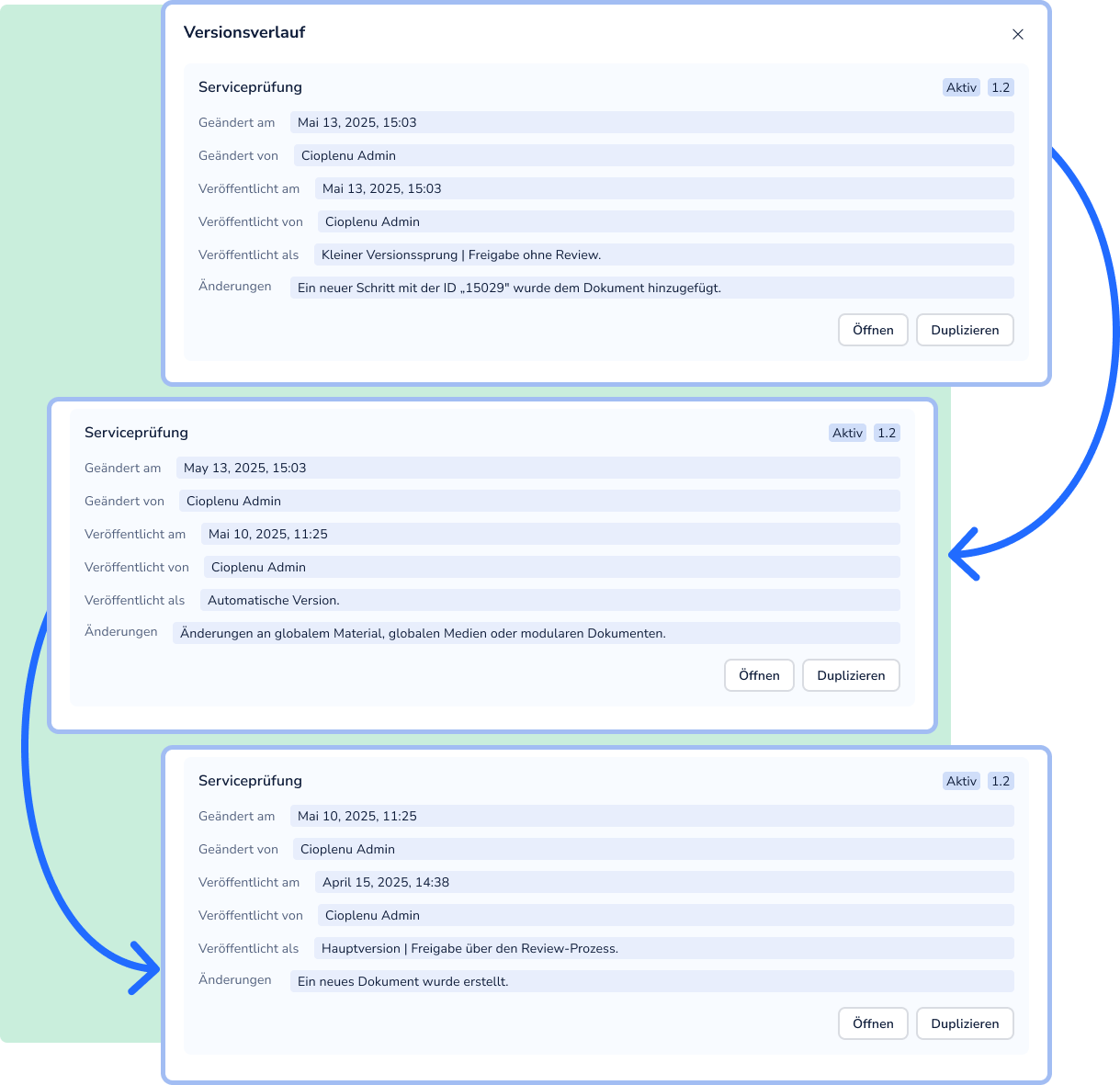
Every document approval is recorded in a revision-proof manner with a timestamp and approver information. The version history provides a clear view of who changed a document, who approved it, and what content was modified.
Complete approval history and versioning per document
Audit-proof for ISO, customer, and regulatory audits
Scalability
A consistent approval process across all sites
Whether you operate one plant or twenty: the approval workflow is configured centrally and applied across all sites according to the same rules. Work instructions, checklists, and inspection records go through the same approval process everywhere before becoming visible on the shopfloor.
Consistent approval standards across lines, plants, and sites
Flexibly scalable from two-stage to complex multi-level workflows
Consistent document quality on the shopfloor worldwide
Book your personal live demo
Discover why market leaders like Trumpf or Daimler Truck maximize their productivity with Operations1.

Guided tour of the software
Answers for your individual use-cases
Free of charge and non-binding
FAQ
How do regulated industries secure the approval process for work instructions?
How does document approval work across multiple sites?
Manufacturing companies with multiple plants face the challenge of ensuring that work instructions meet the same quality standard at every location. With a digitized approval process, the approval workflow is configured centrally and applied across all sites. Whether it's Plant 1 in Germany or Plant 5 in Asia: every change to a work instruction goes through the same stages before it becomes visible on the shopfloor.
What happens to the existing work instruction while a new version is being reviewed?
The currently published version remains available on the shopfloor for as long as the approval process for the new version is running. Your employees always work with the most recently approved version. Document versioning ensures that the new version is only published automatically — replacing the previous one — once all review stages are complete. This prevents any gaps in manufacturing operations.
Which document types can go through a multi-level approval process?
The multi-level approval process is available for all document types in Operations1: work instructions, checklists, inspection records, commissioning documents, and more. Each document type can have its own approval workflow, tailored to its specific requirements.